Adding a Shipping Service
How to add a Shipping Service
Shipping Services are added from the Services Page within Pimento.
To begin:
Navigate to Shipping → Services
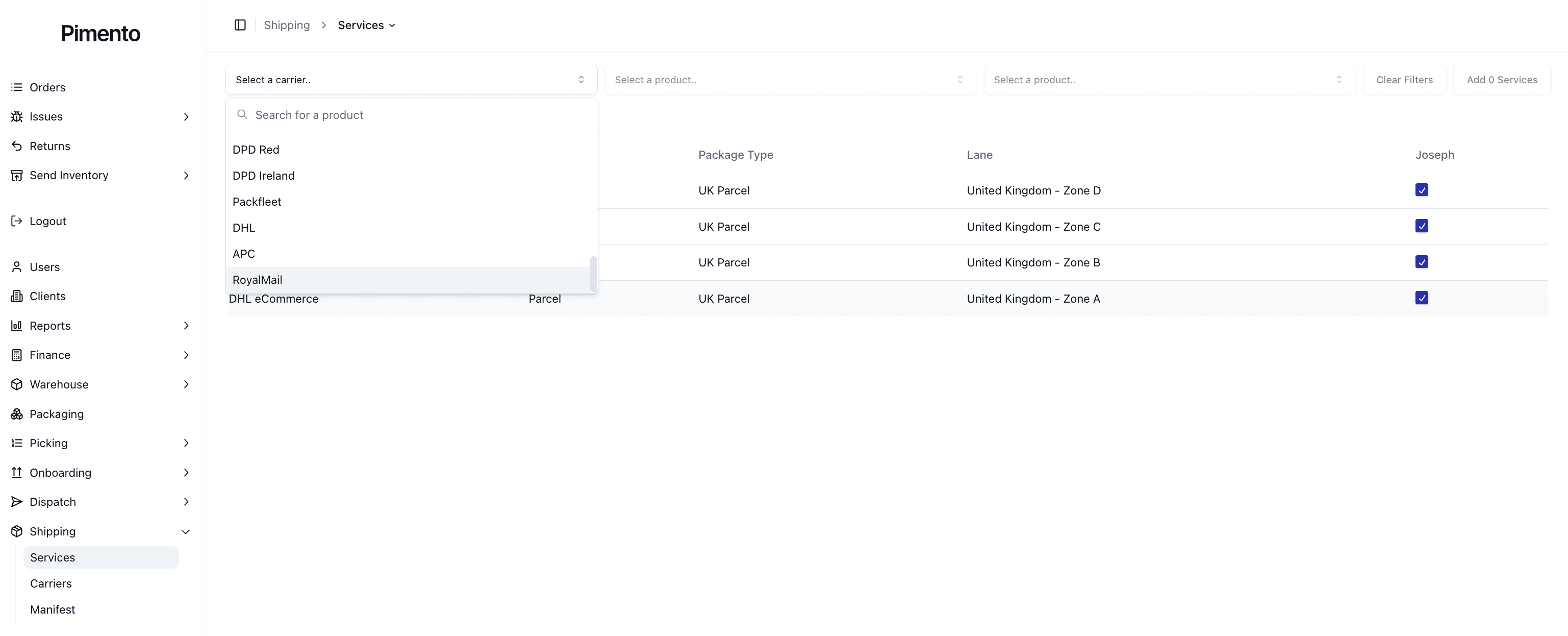
Use the filter dropdowns at the top of the page
Select a Carrier
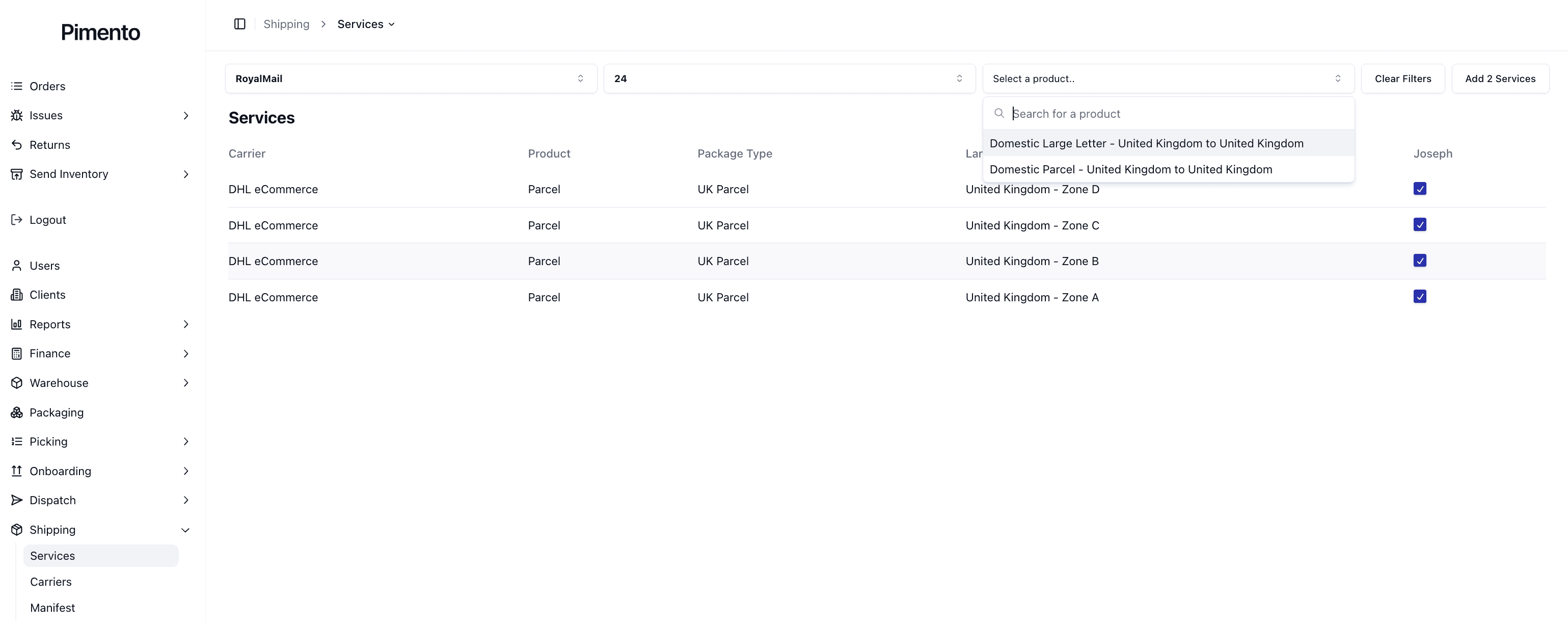
Select a Product
Select a Lane or Package Type
Select Add Services
Once added, the service becomes available within your configured shipping setup.

Step 1 — Selecting a Carrier
The first step is selecting the shipping carrier.
This determines which products and services become available.
Different carriers provide different delivery services and shipping capabilities.
Step 2 — Selecting a Product
After selecting a carrier, you must choose the carrier product.
Products are the actual shipping services offered by the carrier.
Examples include:
Royal Mail 24
Royal Mail 48
Signed For Services
Tracked Services
International Services
The available options depend entirely on the selected carrier.

Step 3 — Selecting a Lane or Package Type
Next, select the shipment lane or package type.
Examples may include:
Domestic Parcel
Domestic Large Letter
International Parcel
Country-specific lanes
This helps Pimento determine which shipments can use the service.
Understanding Carrier Products
Carrier products represent the actual delivery services provided by the shipping provider.
For example:
“24” may refer to a faster delivery service
“48” may represent a slower economy option
“Signed For” services require delivery confirmation
International products may include customs support
The names and functionality vary depending on the carrier.
Removing Shipping Services
Services can be removed or disabled if they are no longer needed.
This may be useful when:
A carrier is no longer used
A service becomes unavailable
Shipping rules change
Incorrect services were added
Removing unused services helps keep shipping configurations organised.
Important Notes
Services cannot exist without connected carriers
Available products are controlled by the carrier integration
Some services may only support certain shipment types
Incorrect service setup may prevent shipment processing
Service naming varies between carriers
FAQs
Why can’t I add a service?
The carrier may not be connected or may not provide available products.
What is the difference between a carrier and a product?
The carrier is the shipping provider, while the product is the specific delivery service they offer.
Can I add multiple services from the same carrier?
Yes — multiple products and lanes can be configured from the same carrier.
Can I remove services later?
Yes — services can be updated or removed as your shipping setup changes.
