Clients Rate Cards
What is the Finance Clients Page?
The Finance Clients page allows Rate Cards to be assigned to individual clients.
This determines which pricing structure will be used when calculating charges and generating invoices.
The page displays:
Client name
Current Rate Card
Upcoming Rate Card
Available actions
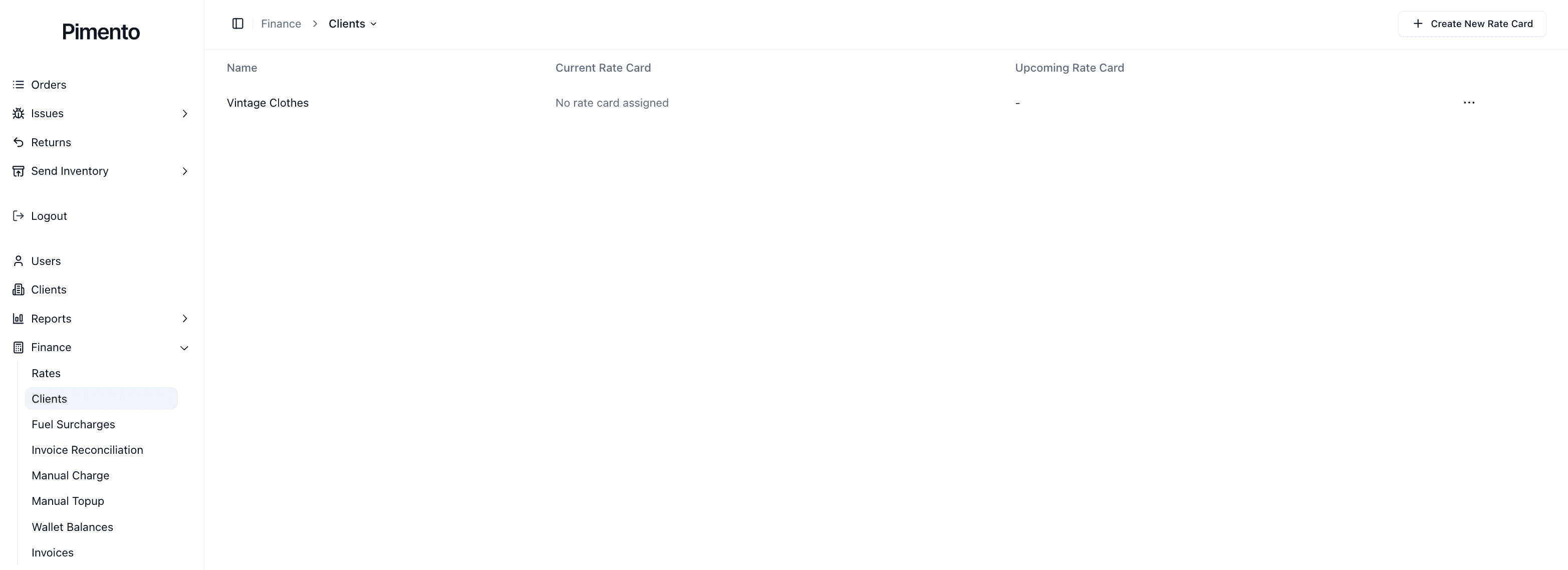
Understanding Current and Upcoming Rate Cards
Current Rate Card
The Current Rate Card is the pricing structure currently being used for billing calculations.
Upcoming Rate Card
The Upcoming Rate Card is a future pricing structure that has been scheduled but is not yet active.
This allows pricing changes to be planned ahead of time.
Assigning a Rate Card to a Client
To assign a Rate Card:
Navigate to Finance → Clients
Locate the client
Open the action menu
Select the option to assign or update a Rate Card
Choose the required Rate Card
Save your changes
Once assigned, future charges will be calculated using that Rate Card.
Updating a Client's Rate Card
Rate Cards may need to be updated when:
Pricing agreements change
New services are introduced
Annual pricing reviews take place
Clients move onto different contracts
Always confirm the effective date before updating pricing.
When Should You Use an Upcoming Rate Card?
Upcoming Rate Cards are useful when:
New pricing starts next month
Contract renewals have been agreed
Annual price increases are scheduled
New fulfilment services are being introduced
Using an Upcoming Rate Card reduces the risk of pricing changes being applied too early.
Important Notes
Every billable client should have a Rate Card assigned.
Rate Cards control invoice calculations.
Upcoming Rate Cards allow future pricing changes to be scheduled.
Always verify pricing before assigning a Rate Card.
FAQs
Can a client have more than one active Rate Card?
No. A client can only have one Current Rate Card at a time.
What happens if a client has no Rate Card assigned?
Charges may not calculate as expected and billing may be incomplete.
Can I change a client's Rate Card?
Yes. Existing assignments can be updated at any time.
Why would I use an Upcoming Rate Card?
To schedule future pricing changes without affecting current billing.
