Creating an Individual Tote
Creating an Individual Tote
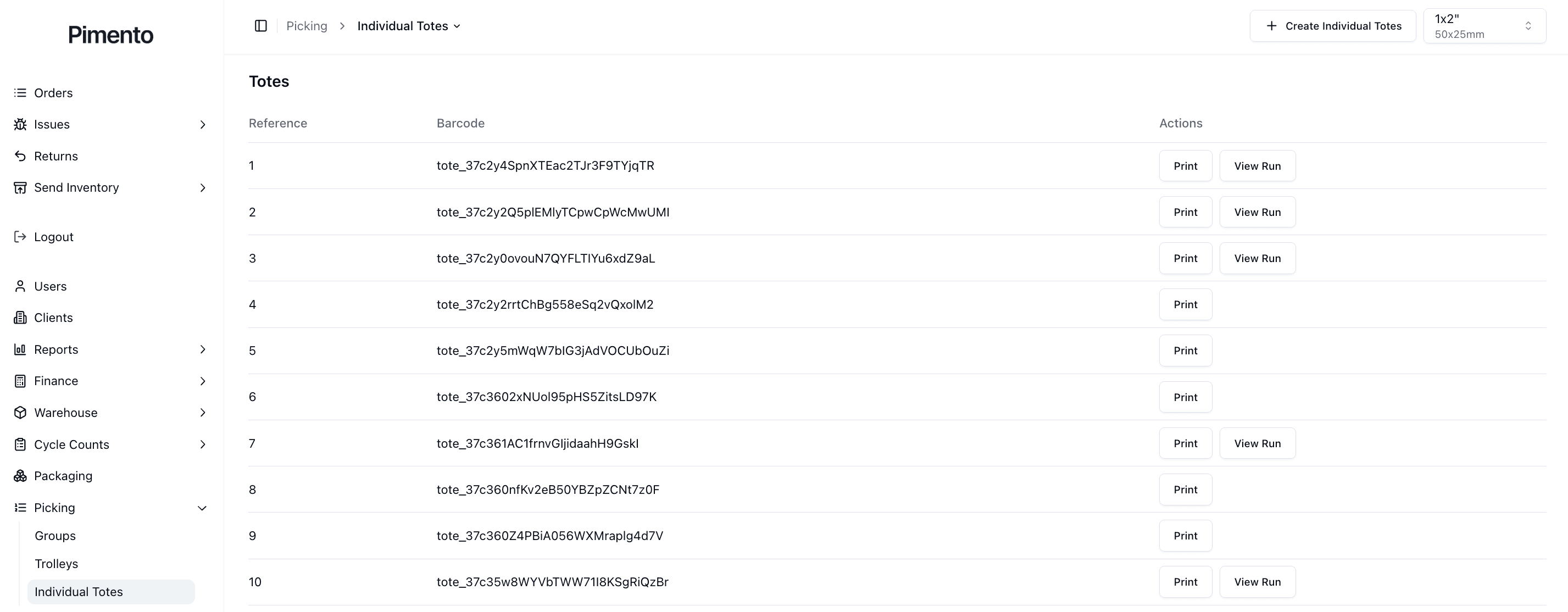
Individual totes can be created directly from the Individual Totes page.
Step 1
Navigate to:
Picking → Individual Totes
Step 2
Select Create Individual Totes.
Step 3
A new tote will be generated automatically with:
A unique reference
A unique barcode
Associated tracking information
Step 4
Print the tote label if required.
Step 5
The tote is now available for use within your warehouse operation.
Why Create Individual Totes?
Individual totes are useful when:
Picking single orders
Managing overflow work
Running manual picking processes
Creating temporary picking containers
Important Notes
Every tote receives a unique barcode automatically.
Tote labels should be printed before operational use.
Totes can be reused as required.
FAQs
Can I create multiple totes?
Yes. Additional totes can be created as required.
Do totes need labels?
Labels are strongly recommended to support scanning and tracking workflows.