Creating Bulk Locations
What is Bulk Location Creation?
Bulk Location creation allows you to create many warehouse locations at once using a CSV upload process.
This is especially useful when:
Setting up a new warehouse
Creating large warehouse sections
Expanding warehouse layouts
Creating structured shelving systems
Bulk creation helps save time while keeping warehouse location structures consistent.
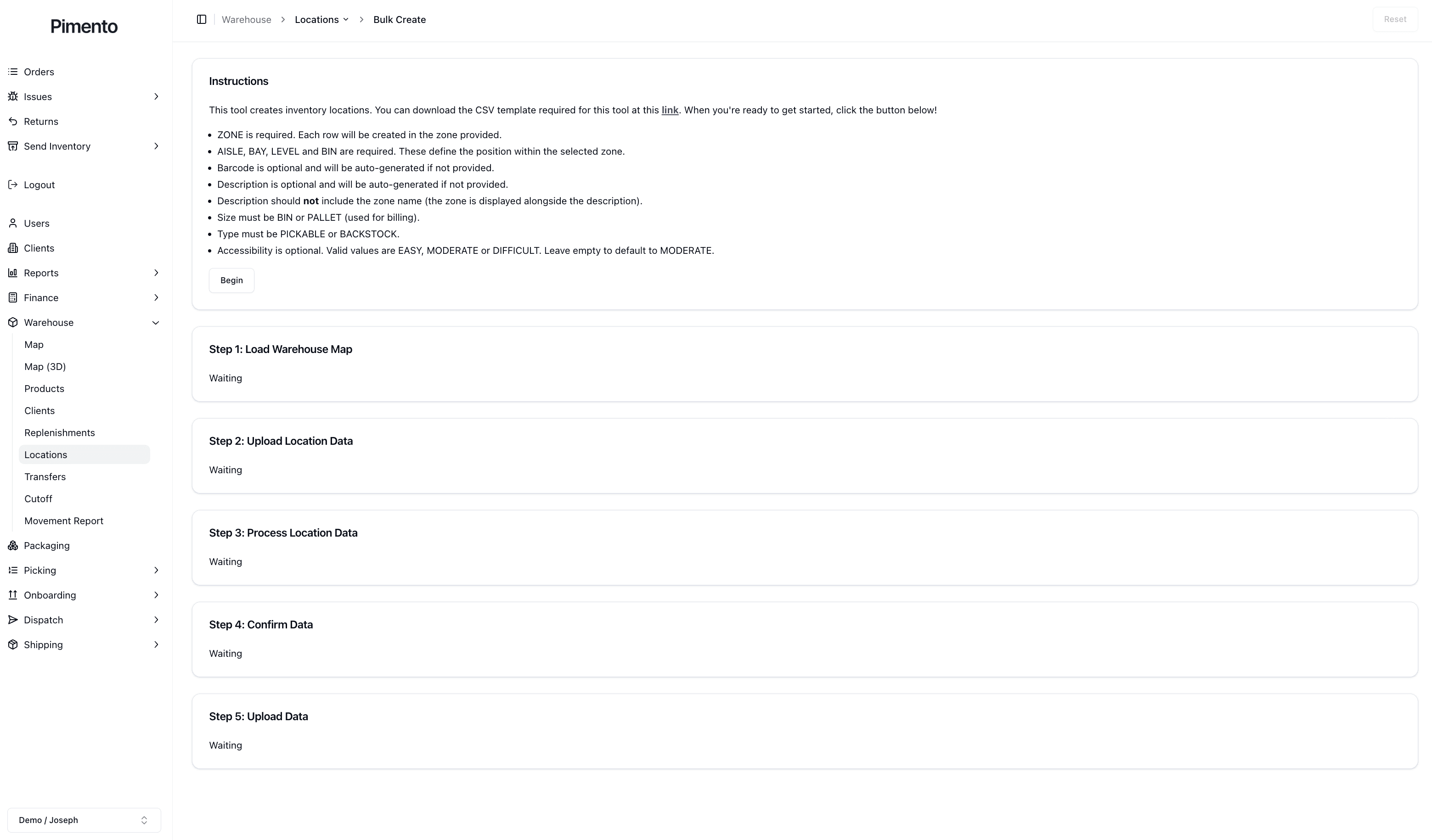
Step 1: Load Warehouse Map
The first step loads the existing warehouse map into the bulk creation tool.
This allows Pimento to understand the current warehouse structure before adding new locations.
Step 2: Upload Location Data
The second step involves uploading the warehouse location CSV file.
The CSV file contains the warehouse location information that will be created inside Pimento.
The CSV may contain information such as:
Zone
Aisle
Bay
Level
Bin
Description
Barcode
Accessibility
Size
Type
CSV Requirements
The upload instructions explain the required CSV structure.
For example:
Zone is required
Aisle, Bay, Level and Bin are required
Size must be BIN or PALLET
Type must be PICKABLE or BACKSTOCK
Pimento may automatically generate descriptions or barcodes if they are not provided.
Step 3: Process Location Data
Once uploaded, Pimento processes the CSV file and validates the warehouse location information.
This helps identify issues before the locations are officially created.
For example, Pimento may:
Validate warehouse structure
Check required fields
Confirm location formatting
Prepare locations for creation
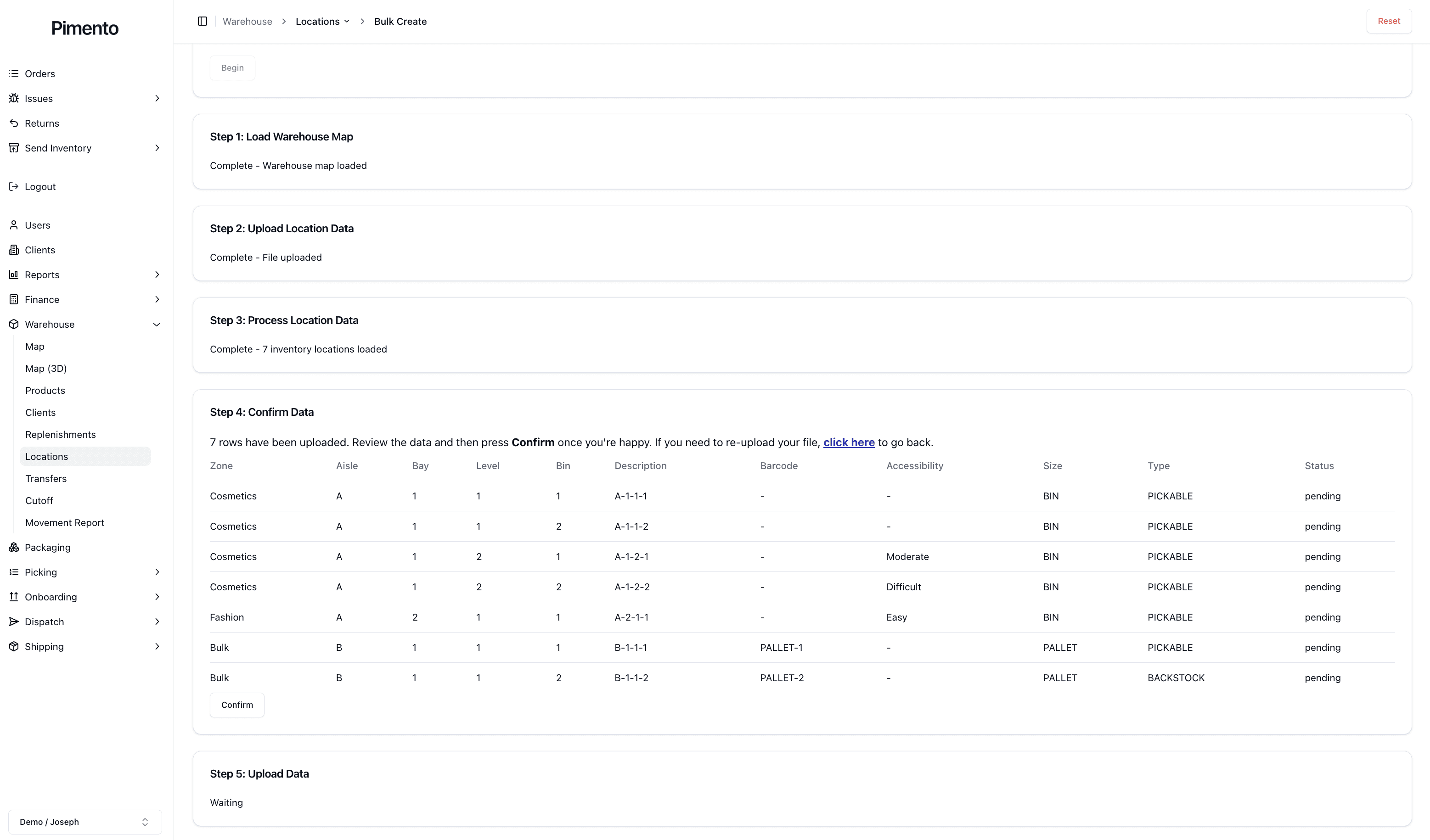
Step 4: Confirm Data
After processing, Pimento displays a confirmation table showing the warehouse locations that are about to be created.
This allows you to review the uploaded data before confirming the final creation process.
The confirmation page displays information such as:
Zone
Aisle
Bay
Level
Bin
Description
Barcode
Accessibility
Size
Type
Status
This is an important step because it helps identify any mistakes before the warehouse locations are permanently added.
Step 5: Upload Data
Once confirmed, Pimento creates the warehouse locations inside the system.
The newly created locations will then become available on the Warehouse Locations Page and throughout warehouse operations.
