Creating Locations Overview
What Does Creating a Location Do?
Creating a warehouse location adds a new storage position inside your warehouse within Pimento.
Locations are used to organise where inventory is physically stored and picked from.
Warehouse locations help create a structured warehouse layout that warehouse operators can follow easily.
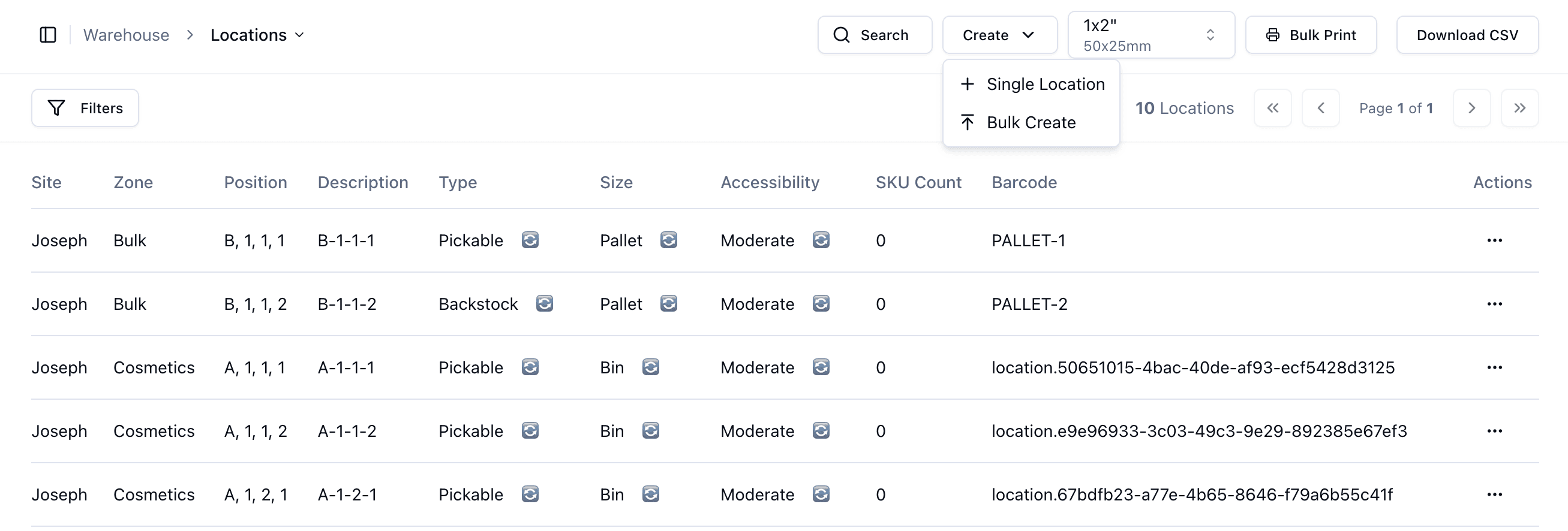
Single Location Creation
Single Location creation allows you to manually create one warehouse location at a time.
This is useful when:
Adding a specific new shelf
Expanding a warehouse gradually
Creating temporary storage areas
Making small warehouse adjustments
Bulk Location Creation
Bulk Create allows you to generate many warehouse locations at once.
This is useful when:
Setting up a new warehouse
Creating large warehouse sections
Creating structured shelving layouts
Speeding up warehouse setup
Bulk creation helps maintain consistent warehouse structures while saving time.
Benefits of Structured Location Creation
Using structured warehouse locations helps:
Improve inventory tracking
Improve warehouse navigation
Reduce fulfilment errors
Increase picking efficiency
Important Notes
It is recommended to plan warehouse structures before creating locations to ensure the warehouse layout remains organised and scalable.
