How and Why You Need to Create a Team
What is the Team Section?
The Team section allows clients to create and manage additional users within their Pimento account.
This allows multiple people within a business to access and use the platform.
The Team section can be found under:
Settings → Team
This only appears when you are logged into a Client.
From here, clients can:
View existing users
Add new users
Manage account access
Why Create a Team?
Creating a team allows businesses to give platform access to different staff members.
This is useful for:
Warehouse managers
Customer support teams
Operations staff
Fulfilment teams
Business owners
Instead of sharing a single login, each team member can have their own account access.
This improves:
Security
Accountability
User tracking
Operational management
Adding a User
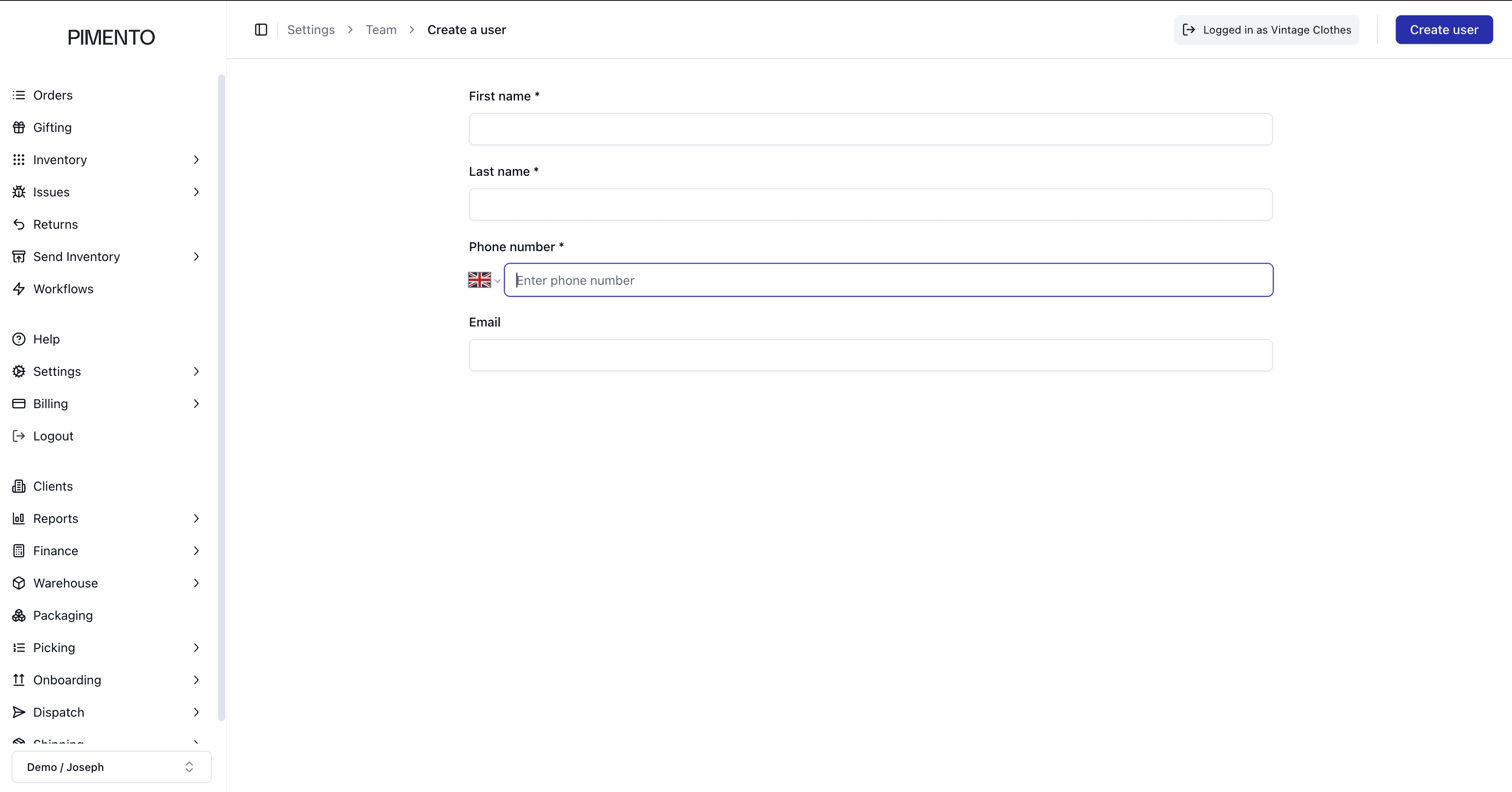
New users can be created using the “Add User” button located in the top-right corner of the Team page.
The Create User form allows you to enter:
First name
Last name
Phone number
Email address
Once created, the new user will be added to the client account team.
Why Separate User Accounts Matter
Using separate user accounts is important because actions inside Pimento may be logged against individual users.
This can help businesses:
Track operational changes
Monitor inventory adjustments
Improve accountability
Understand who performed specific actions
Edge Case Situations
There are situations where creating additional users may be especially important.
For example:
Temporary warehouse staff
Seasonal fulfilment teams
External operations managers
Customer support agents
Third-party warehouse workers
Separate user accounts help ensure access remains organised and manageable during operational growth.
Managing Team Access
The Team page also allows businesses to review current users and confirm which accounts currently have access to the platform.
This helps maintain:
Account security
Controlled access
Organised operations
Important Notes
It is recommended that each person accessing Pimento uses their own account rather than sharing login credentials.
