Movement Report Overview
What is the Movement Report?
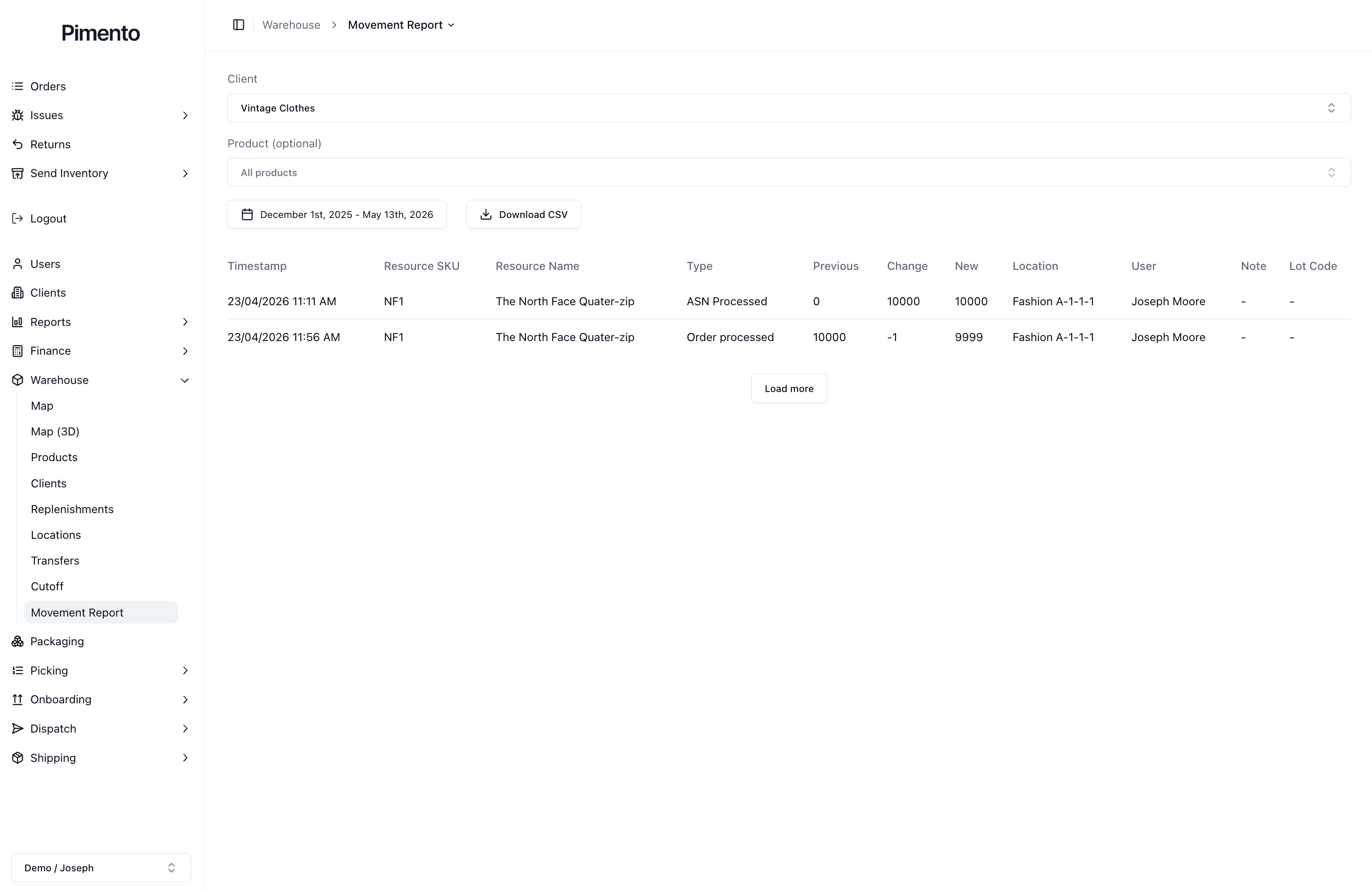
The Movement Report shows a history of inventory changes within the warehouse.
It helps operators understand when stock changed, why it changed, where it changed, and who made the change.
What Information Does the Movement Report Show?
The Movement Report table shows information such as:
Timestamp
Resource SKU
Resource name
Type
Previous quantity
Change
New quantity
Location
User
Note
Lot code
This gives operators a clear audit trail of stock movement.
Movement Types
The Type column explains why the stock changed.
For example, movement types may include:
ASN Processed
Order processed
Transfer
Manual adjustment
This helps you understand whether stock was added, removed, transferred, or adjusted.
Using the Movement Report to Analyse Clients
You can select a client at the top of the page to view movement data for that client.
This is useful when investigating:
Stock changes
Missing inventory
Order-related deductions
ASN stock increases
Manual adjustments
Product movement history
Filtering by Product
The Product filter allows you to focus on one product or view all products.
This is useful when you need to investigate a specific SKU or product movement history.
Using Date Ranges
The date range selector allows you to review inventory movement across a specific period.
This helps narrow down investigations when you know roughly when a stock change happened.
Downloading the Movement Report
You can download the report using the Download CSV button.
This is useful for:
Client reporting
Stock investigations
Internal audits
External analysis
Keeping warehouse records
