Packaging Page Overview (Managing Packaging Options)
What is the Packaging Page?
The Packaging Page is where you can view and manage all packaging options within Pimento.
Packaging options are used during fulfilment to help warehouse operators determine what packaging should be used when packing orders.
This page provides a central overview of all packaging currently available for clients.
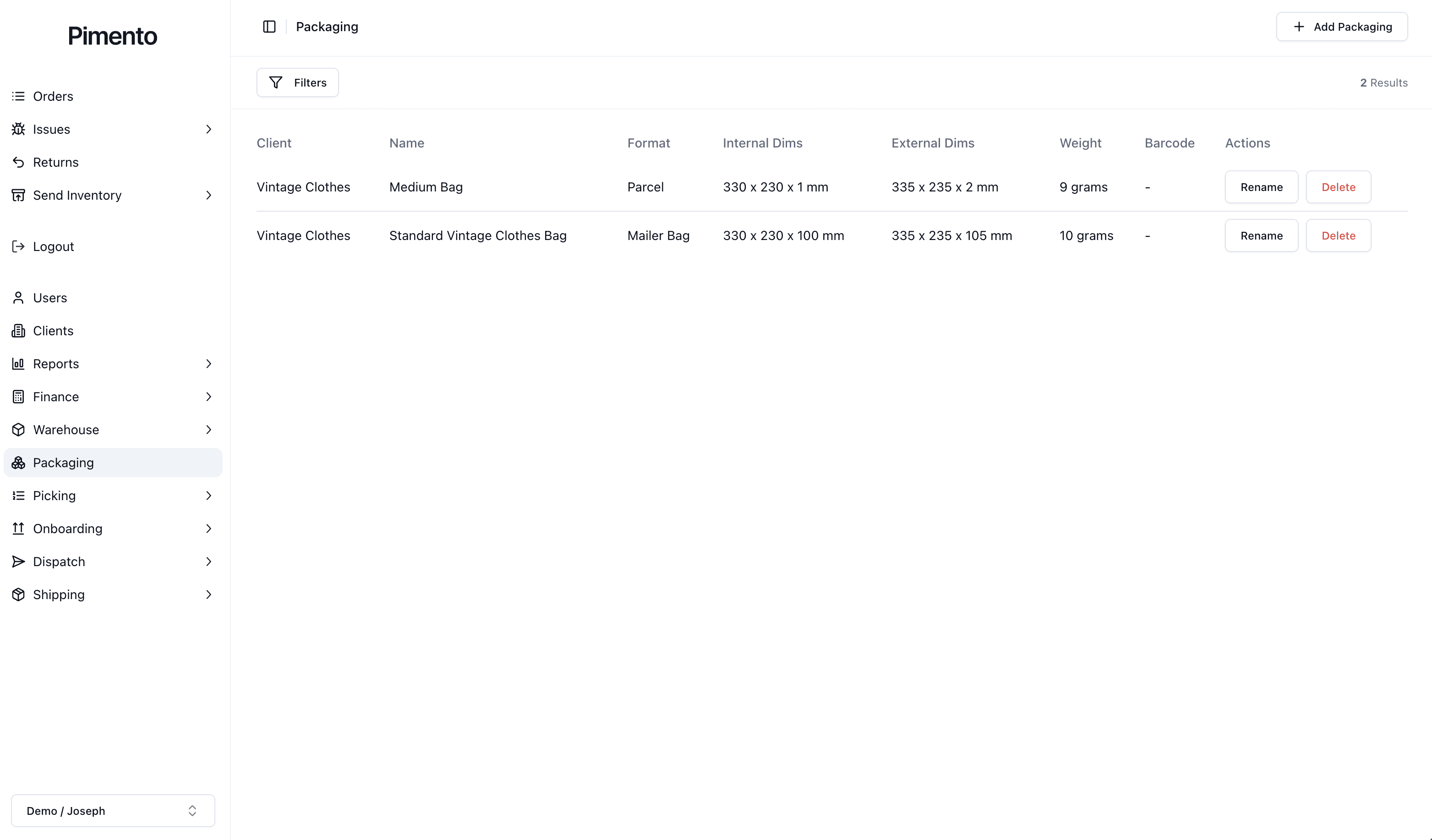
Packaging List Overview
Each packaging option is displayed in a table with important information, such as:
Client
Name
Format
Internal Dimensions
External Dimensions
Weight
Barcode
This allows you to quickly understand what packaging is available and how it is configured without opening each packaging option individually.
Client
The client field shows which client the packaging belongs to.
Different clients may use different packaging types, branded mailers or box sizes.
Name
The name is used to identify the packaging option.
For example:
Medium Bag
Small Box
Standard Vintage Clothes Bag
Using clear names makes packaging easier to identify during fulfilment.
Format
The format describes the packaging type being used.
For example:
Parcel
Mailer Bag
Box
This helps categorise packaging during warehouse operations.
Internal Dimensions
Internal dimensions refer to the usable space inside the packaging.
These dimensions help determine what products can physically fit inside the package.
External Dimensions
External dimensions refer to the outside measurements of the packaging.
These dimensions are important for shipping calculations and carrier requirements.
