Products Page Overview (Navigate, Search, and Manage Products)
Navigating the Products Page
The Products Page is your main workspace for navigating, viewing and managing all products in Pimento.
From here, you can:
• View all products in your inventory
• Search for specific products
• Filter and sort products based on different criteria
• Access individual products in detail
You can access this page via the Inventory → Products section in the navigation
Products List
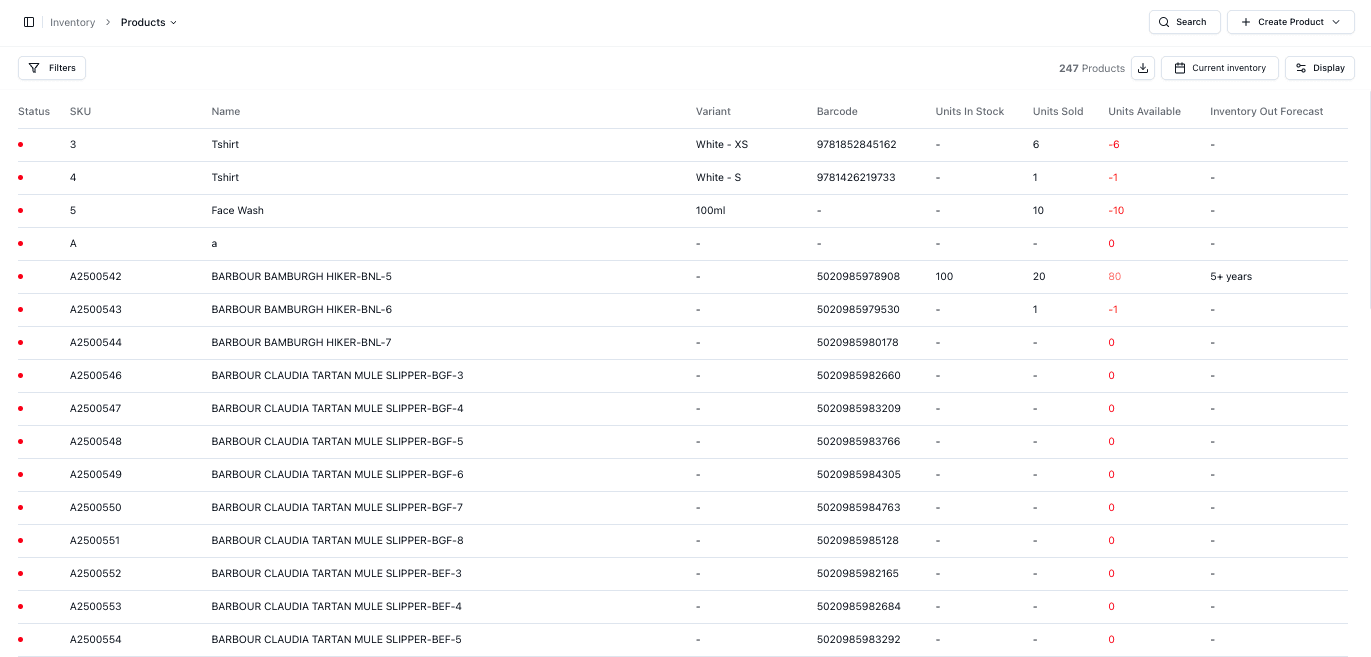
The main table displays all your products in a structured list.
For each product you can view key information, the default unconfigured will be shown as:
• SKU
• Name
• Variant
• Barcode
• Units in Stock
• Units Available
This view gives you a snapshot of your inventory and current stock levels
Searching for Products
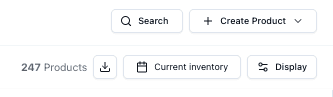
You can search for specific products using the search bar at the top-right of the page.
You can search by the following:
• SKU
• Product Name
• Variant
• Barcode
SKU is the unique identifier within Pimento and should be used whenever possible
Filtering Products
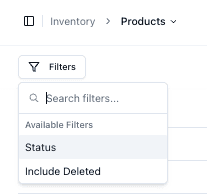
Filters allow you to narrow down the product list based on specific criteria and is found on the top-left side of the product list section.
You can add and remove as many filters that you like, available filters include:
• Status
• Include Deleted
This is especially useful for identifying inactive or unavailable products
Sorting & Display Option
You can control how products are displayed on the Products Page using the Display menu located on the top-right side of the page below the search bar.
This allows you to:
• Sort products from Newest First / Oldest First
• Show or hide specific columns (e.g. Units in Stock, Barcode, etc..)
We recommend adjusting the displayed information based on what is most important in your workflow, but note it is dynamic and can be changed easily at any time
Downloads
You can download product data directly from the Products Page. The button is found at the top-right next to the Display button.
This allows you to:
• Export product information
• Share data with other teams
• Analyse products externally if needed
Note: The download will include only what is currently displayed. If you apply filters or search, only those products will be downloaded
Individual Product Details
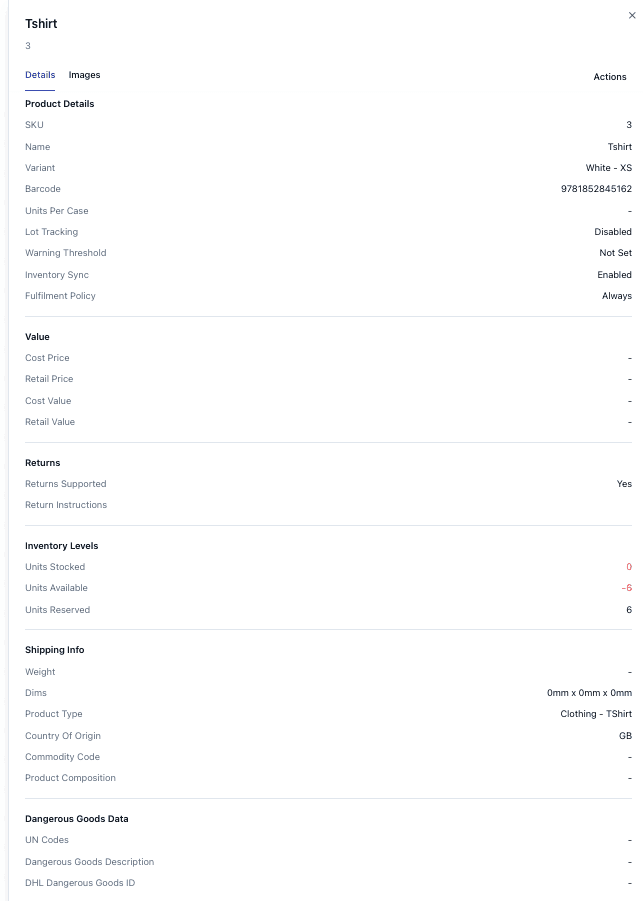
Clicking into a product opens the detailed product view. This is where you manage and review a specific product.
From here, you can:
View full product information (SKU, variant, barcode)
See inventory levels
Review shipping and customs data
Check pricing and values
Manage returns settings
FAQs
Do I need B2B shipping for large orders?
No — size alone does not determine B2B. Only enable it if the delivery requires business-specific handling.
What happens if I don’t enable B2B shipping?
Orders may be treated as standard deliveries, which can lead to failed deliveries if the recipient requires booking, references, or restricted access.
Does B2B shipping cost more?
It can, depending on the carrier and service, but Pimento itself does not add additional B2B fees.
