Sent Inventory Calendar Overview (How to Use the Inventory Calendar)
Calendar View Purpose
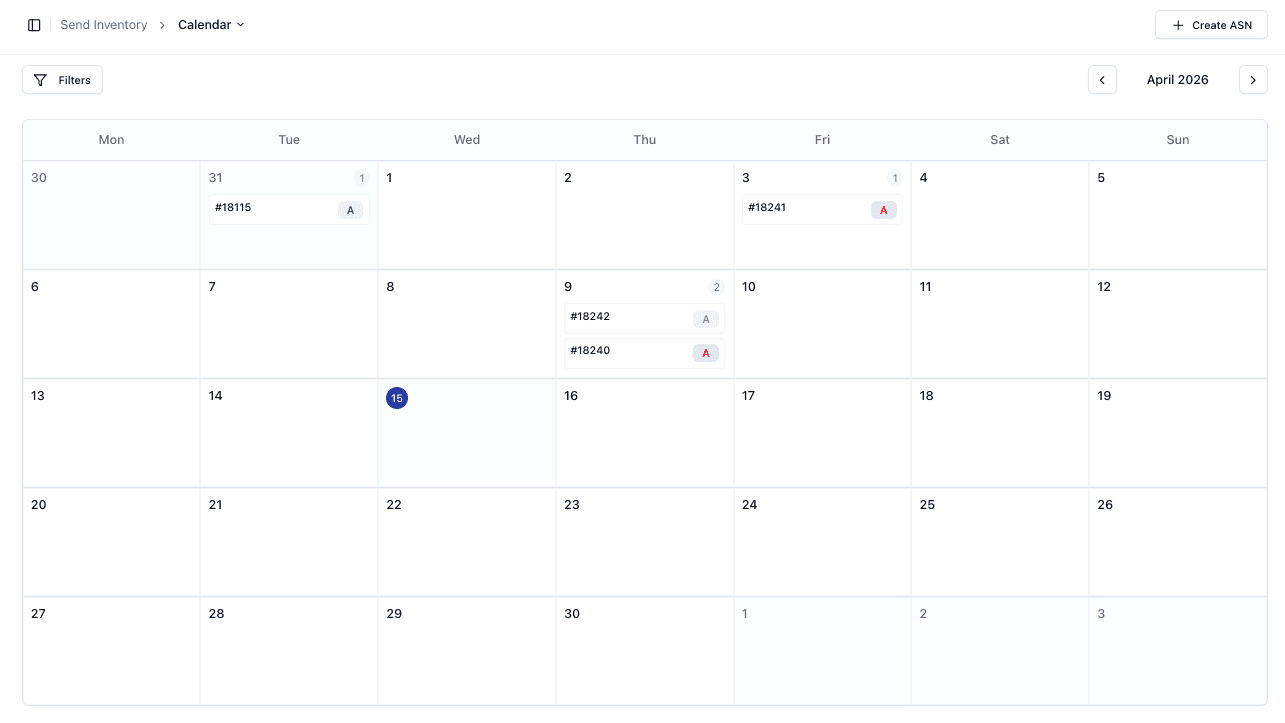
The Inventory Calendar provides a visual view of all ASNs based on their dates.
This helps you:
• Track incoming shipments over time
• Plan warehouse activity
• Identify busy periods
Navigating the Calendar
You can navigate between months using:
• Previous / Next controls
Each day displays:
• ASN references
• Status indicators
Viewing ASNs
Each calendar entry represents an ASN
You can:
• Click an entry to view details
• Identify shipment timing and status at a glance
Filtering Calendar Data
You can apply filters to refine what is shown.
This helps focus on:
• Specific shipments
• Certain statuses
Important Notes
• Calendar reflects ASN dates (e.g. ETA)
• Filters help manage visibility in busy periods
• Status indicators provide quick insights
• Clicking entries opens full ASN details
FAQs
What dates are shown in the calendar?
Typically ETA or relevant shipment dates
Can I filter the calendar view?
Yes — filters can be applied to refine results
