Using Filters, Search & Display Options
Overview
Filters, search and display options allow you to quickly find, organise and export data across Pimento. These tools are consistent across multiple pages, including Orders, Returns, Inventory and Issues.
Using Filters
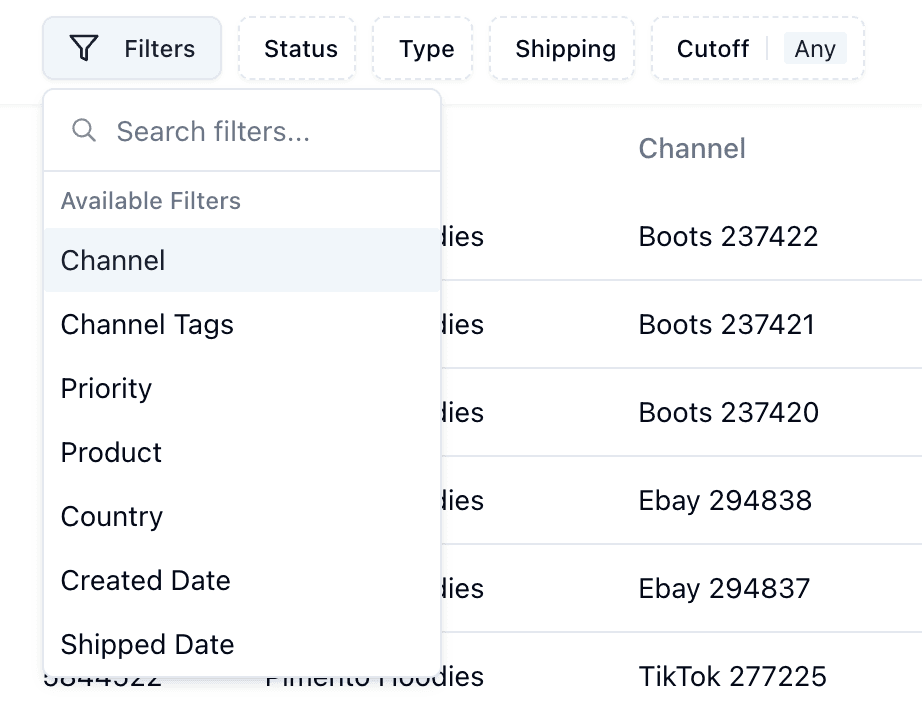
Filters allow you to narrow down results based on specific criteria.
Common filters include:
• Status
• Channel
• Product
• Date ranges
• Country
You can apply multiple filters at once to refine your results.
Filter options change based feature you are trying to filter.
Using Search
The search bar allows you to quickly locate specific records.
You can typically search by:
• Order ID
• SKU
• Channel reference
• Customer details
Search is useful when you know exactly what you’re looking for.

Display Options
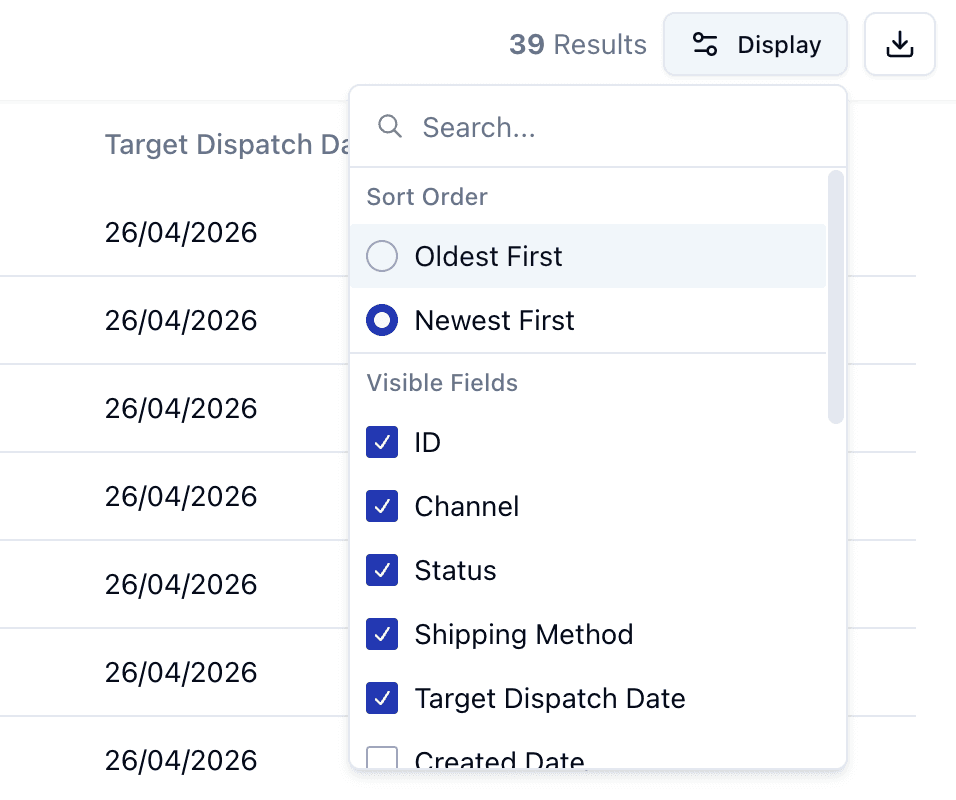
The Display menu allows you to customise how data is shown.
You can:
• Show or hide columns
• Adjust visible information
• Change how data is presented
This helps tailor the view to your workflow.
Display options change based upon what feature you are currently using
Sorting Data
Most tables allow you to sort data by column.
For example:
• Newest → Oldest
• Highest → Lowest
• Alphabetical order
Sorting helps you prioritise what you see first.
Downloading Data
You can download data directly from most pages.
Important:
• Only visible (filtered) data will be exported
• Large datasets may require filtering before download
• Exported files include all available fields, even if some are empty
Important Notes
• These tools work consistently across most pages
• Filtering affects what you see and what you download
• Display settings do not change the underlying data
• Search is best used when you know a specific reference
