Viewing a Client’s Warehouse Inventory
What is the Warehouse Clients Page?
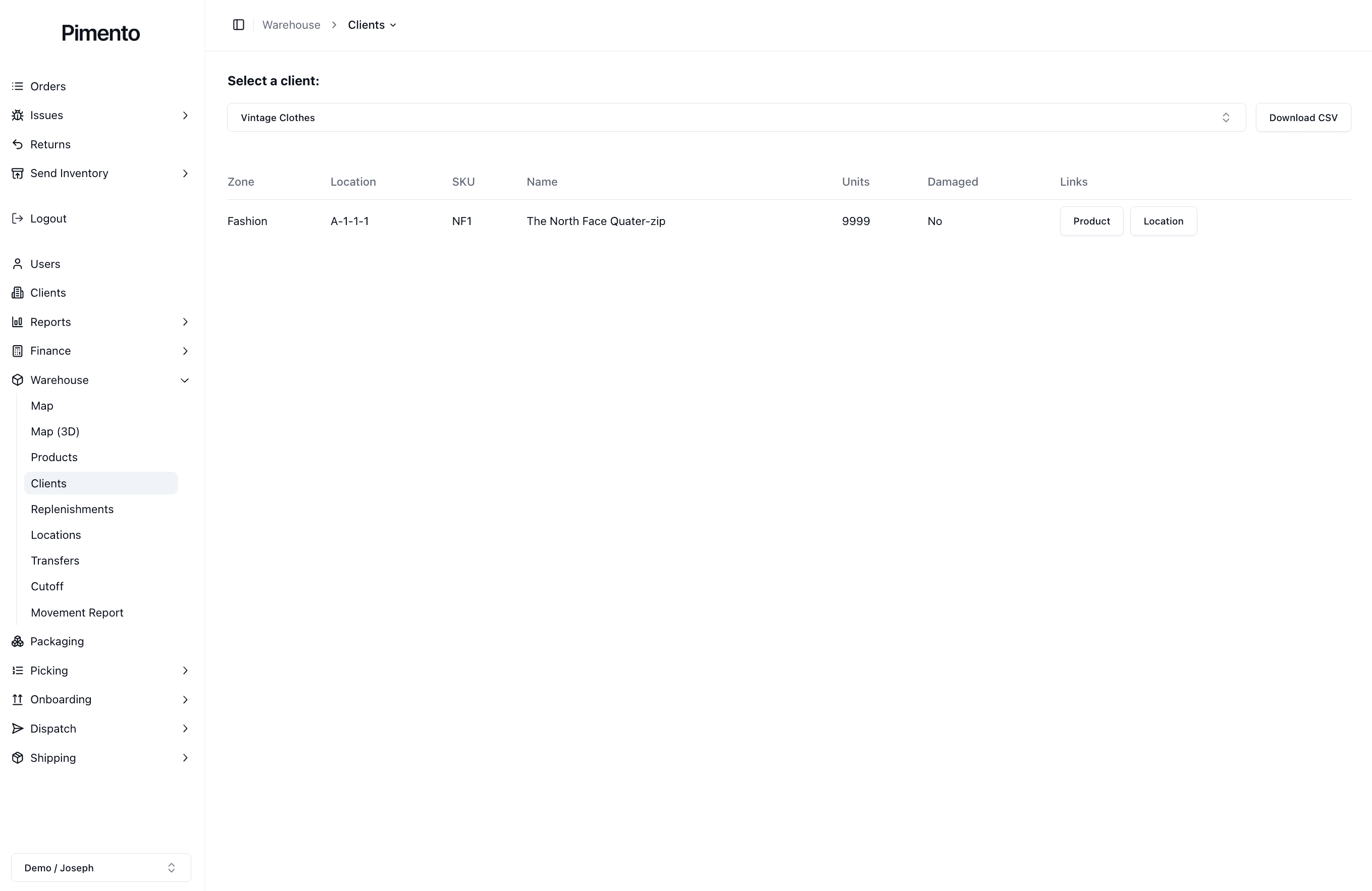
The Warehouse Clients page is where operators can view warehouse inventory for a specific client.
This page helps you see where a client’s products are stored, how many units are available, and whether any stock is marked as damaged.
Selecting a Client
At the top of the page, you can select a client from the dropdown.
Once a client is selected, the table updates to show inventory for that client only.
This is useful when managing multiple brands, as it allows you to quickly switch between client warehouse views.
Viewing a Client’s Warehouse Structure
The table shows how the selected client’s inventory is organised inside the warehouse.
For each product, you can view:
Zone
Location
SKU
Product name
Units
Damaged status
This helps operators quickly understand where products are physically stored.
Viewing Client Products
Each row shows a product stored in a warehouse location.
The SKU and product name help identify the item, while the units column shows how many units are currently stored in that location.
The Links section allows you to quickly open:
Product
Location
This is useful when you need to investigate a product or check the location it is stored in.
Downloading Client Warehouse Data
You can also use the Download CSV button to export the client’s warehouse inventory data.
This can be useful for reporting, stock checks, or sharing warehouse information with another team.
Important Notes
The Warehouse Clients page is useful for quickly checking where a client’s products are stored.
Use this page when investigating inventory issues, checking stock levels, or reviewing a client’s warehouse structure.
