What are Shipping Carriers
What are Shipping Carriers?
Shipping Carriers are the delivery providers connected to your Pimento account that are used to ship customer orders.
These carriers are responsible for:
Generating shipping labels
Tracking shipments
Providing shipping services and rates
Delivering parcels to customers
Supporting different shipping methods and destinations
Examples of carriers available in Pimento include:
Royal Mail
DPD
DHL eCommerce
APC
Evri
An Post
InPost
Each carrier can provide different services depending on your account configuration and shipping requirements.
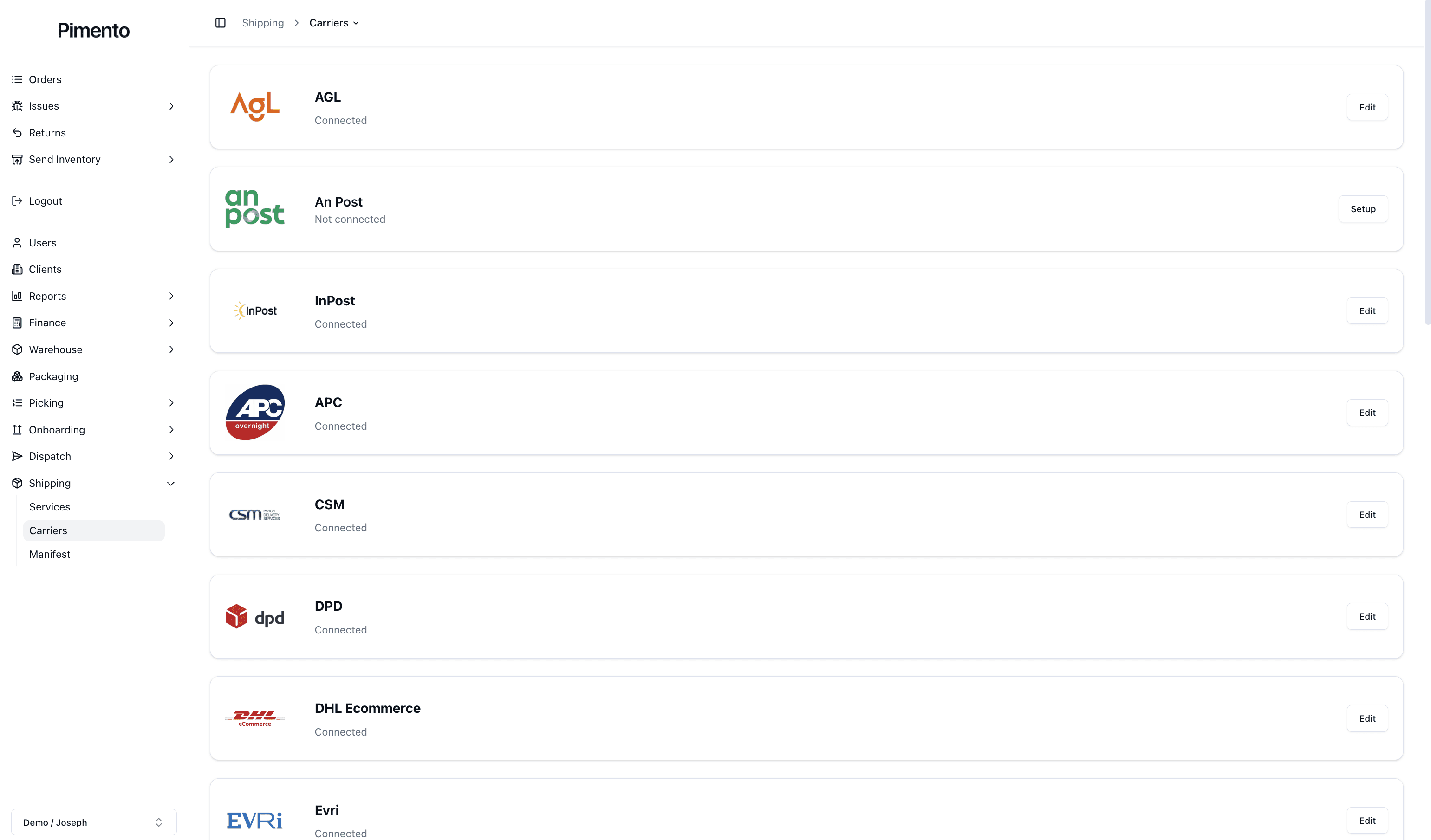
Connected vs Not Connected Carriers
On the Carriers Page you will see a list of available carriers along with their current connection status.
A carrier can appear as:
Connected
Not connected
Connected carriers are ready to use within Pimento and can provide shipping services for orders.
Not connected carriers still exist within the platform but require account credentials and configuration before they can be used.
This allows brands to enable only the carriers relevant to their business.
Editing Shipping Carriers
Connected carriers can be edited at any time using the Edit button on the right-hand side of the carrier row.
Editing a carrier allows you to:
Update account credentials
Change usernames or passwords
Adjust integration settings
Configure international shipping options
Reconnect carriers if credentials change
Changes made here affect how Pimento communicates with the carrier platform.
Setting up Shipping Carriers
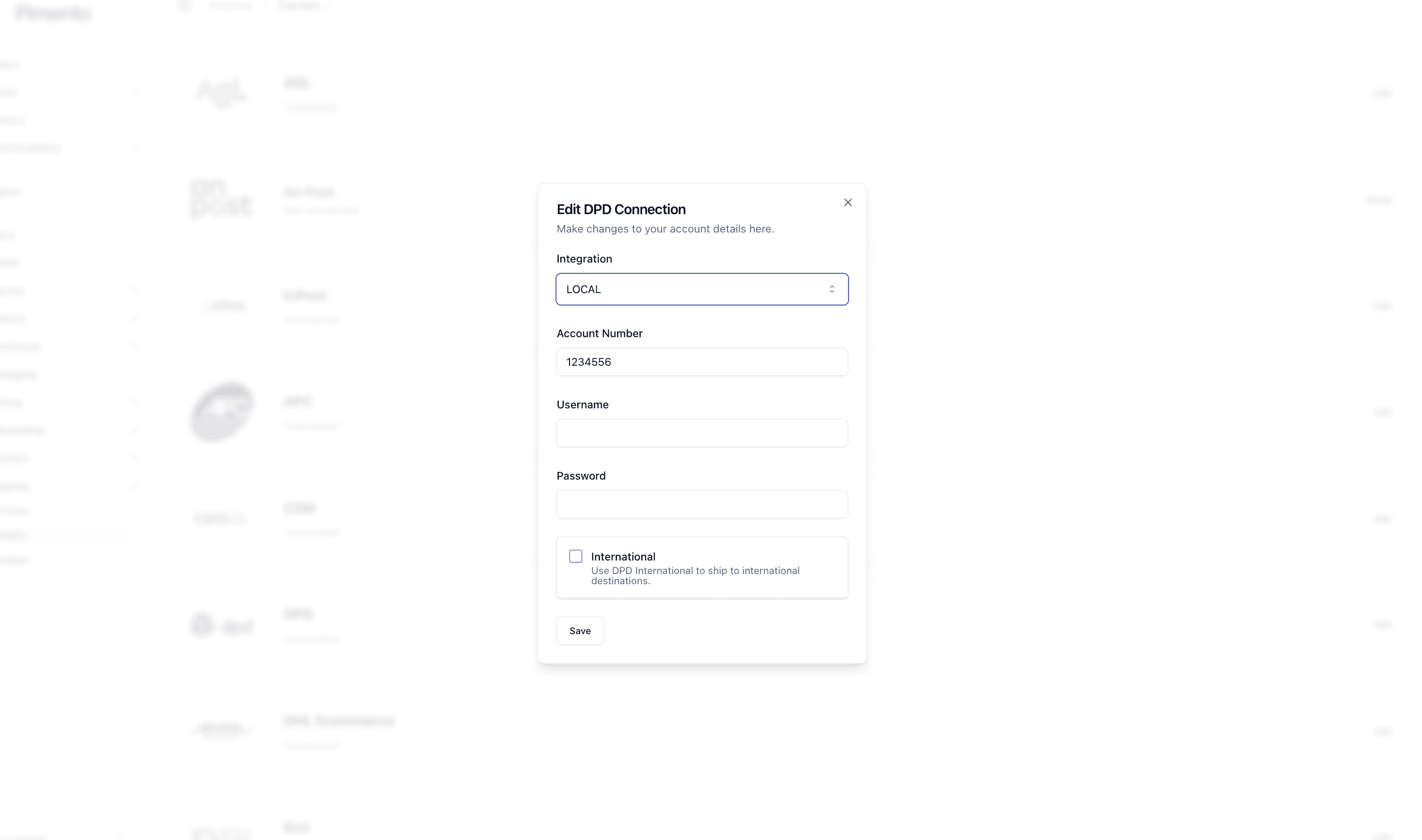
Setting up a carrier involves connecting your carrier account details to Pimento.
The setup process differs depending on the carrier because every provider has different authentication and integration requirements.
Some carriers may require:
Account Numbers
API credentials
Usernames and passwords
Collection account references
Environment selections (e.g. Local / Production)
International shipping settings
Once the required details are entered, selecting Save will connect the carrier to your account.
After setup, the carrier can then be used when configuring shipping services within Pimento.
Why are carriers configured individually?
Every shipping provider operates differently and exposes different services, rules, and authentication methods.
For example:
Some carriers support international shipping separately
Some carriers require manifests
Some carriers provide tracking differently
Some carriers use account numbers while others use API integrations
Because of this, each carrier must be configured individually.
Important Notes
Connecting a carrier does not automatically enable shipping services
Shipping Services must still be configured separately
Incorrect credentials may prevent label generation
Some carriers may require approval or activation externally before use in Pimento
Carrier availability may depend on your account setup with Pimento
FAQs
Can I edit carrier details later?
Yes — carrier credentials and settings can be updated at any time.
Do all carriers use the same setup process?
No — each carrier has different requirements and available settings
Does connecting a carrier automatically make it available for orders?
No — services still need to be configured separately after the carrier is connected.
Why is a carrier showing as “Not connected”?
This means the carrier has not yet been configured with valid account credentials.
