Workflows Page Overview
Navigating the Workflows Page
The Workflows Page is your central location for managing all workflows.
From here, you can:
• View all workflows
• Check status (Active / Inactive)
• Edit or manage workflows
You can access this page via Workflows.
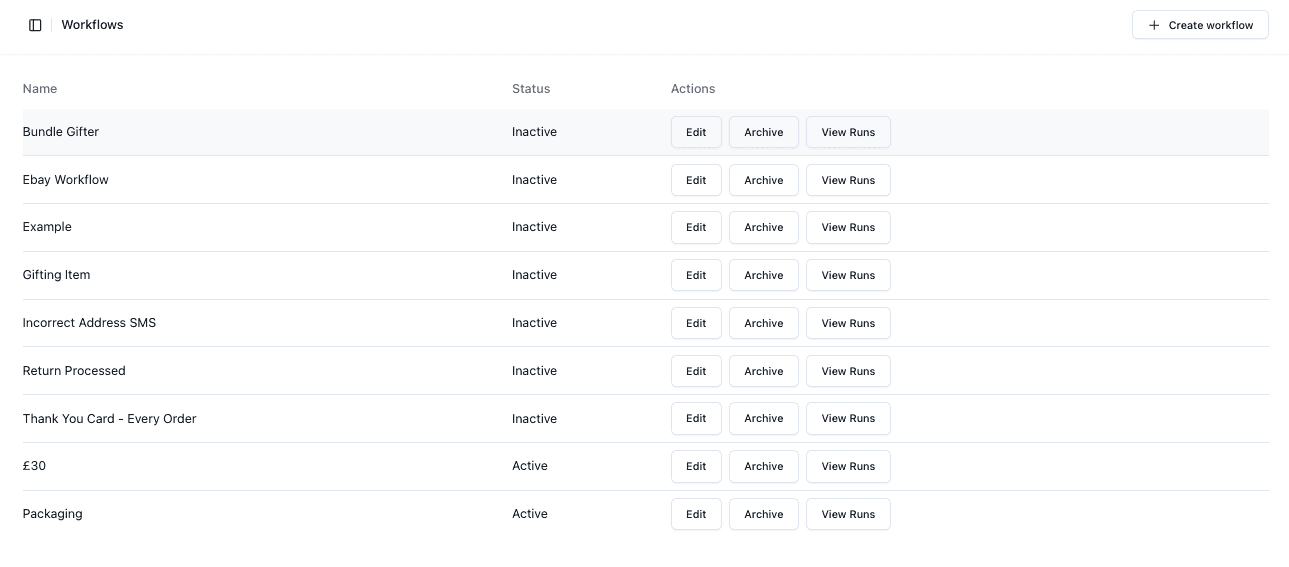
Workflow List
The table displays all workflows.
Key information includes:
• Name
• Status
• Actions (Edit, Archive, View Runs)
Status Visibility
Each workflow has a status:
• Active → Running automatically
• Inactive → Not currently running
Accessing Workflows
You can manage workflows using the available actions:
• Edit
• Archive
• View Runs
Important Notes
• Only active workflows will run
• Archived workflows are not usable
• Status should be checked regularly
• Workflow naming should be clear and descriptive
FAQs
Can I have multiple workflows active?
Yes — multiple workflows can run at once
What does archiving do?
It disables the workflow and removes it from active use
